Description
Inventory & Stock Management Spreadsheet
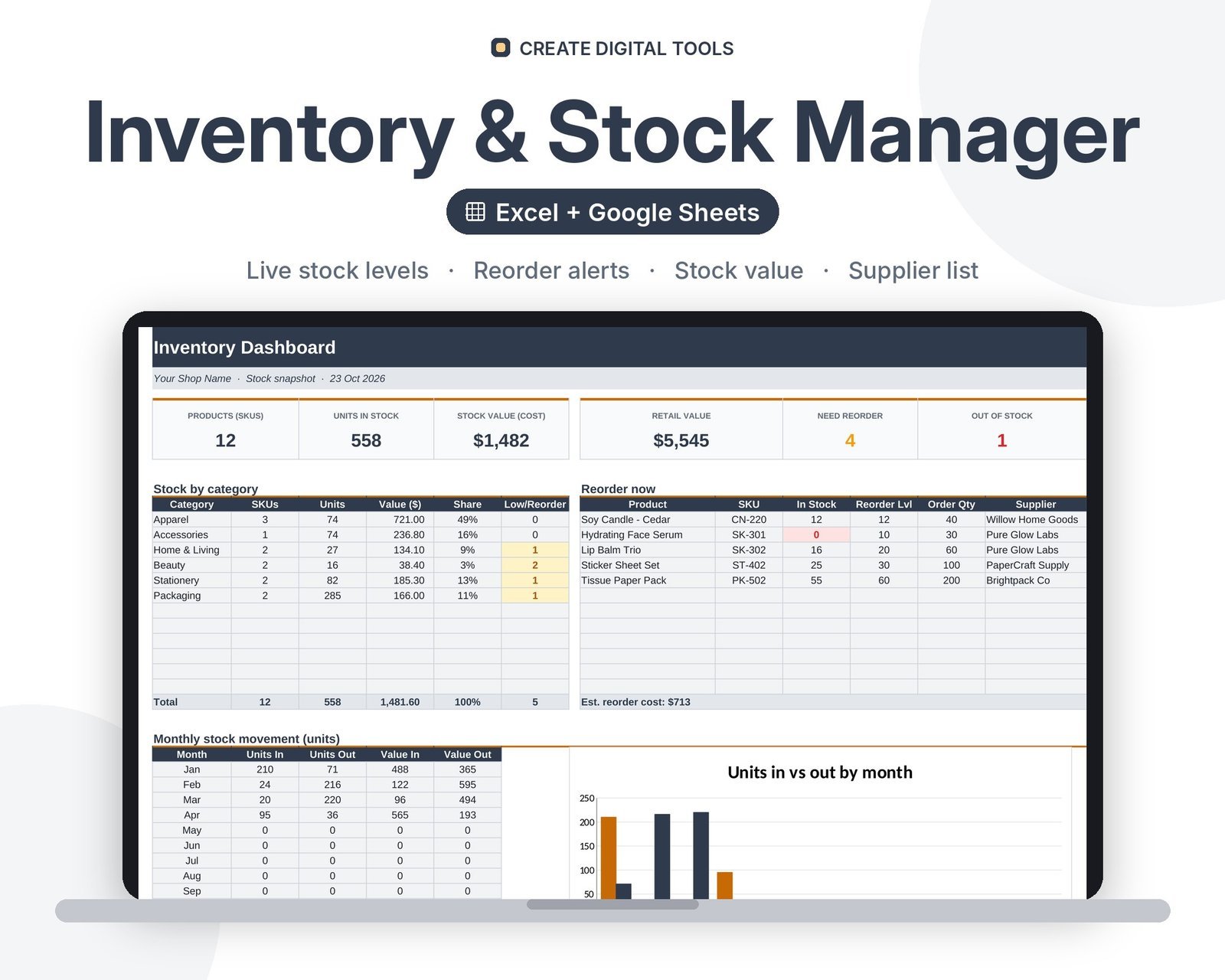
A ready-to-use inventory management spreadsheet that turns a simple stock in/out log into live stock levels, stock value and automatic reorder alerts. Add your products once, record deliveries and sales as they happen, and the dashboard tells you exactly what to reorder and from which supplier.
Who it’s for
Small shops, Etsy and Shopify sellers, makers, cafes, salons and anyone who holds physical stock and is tired of guessing what is on the shelf.
What’s inside
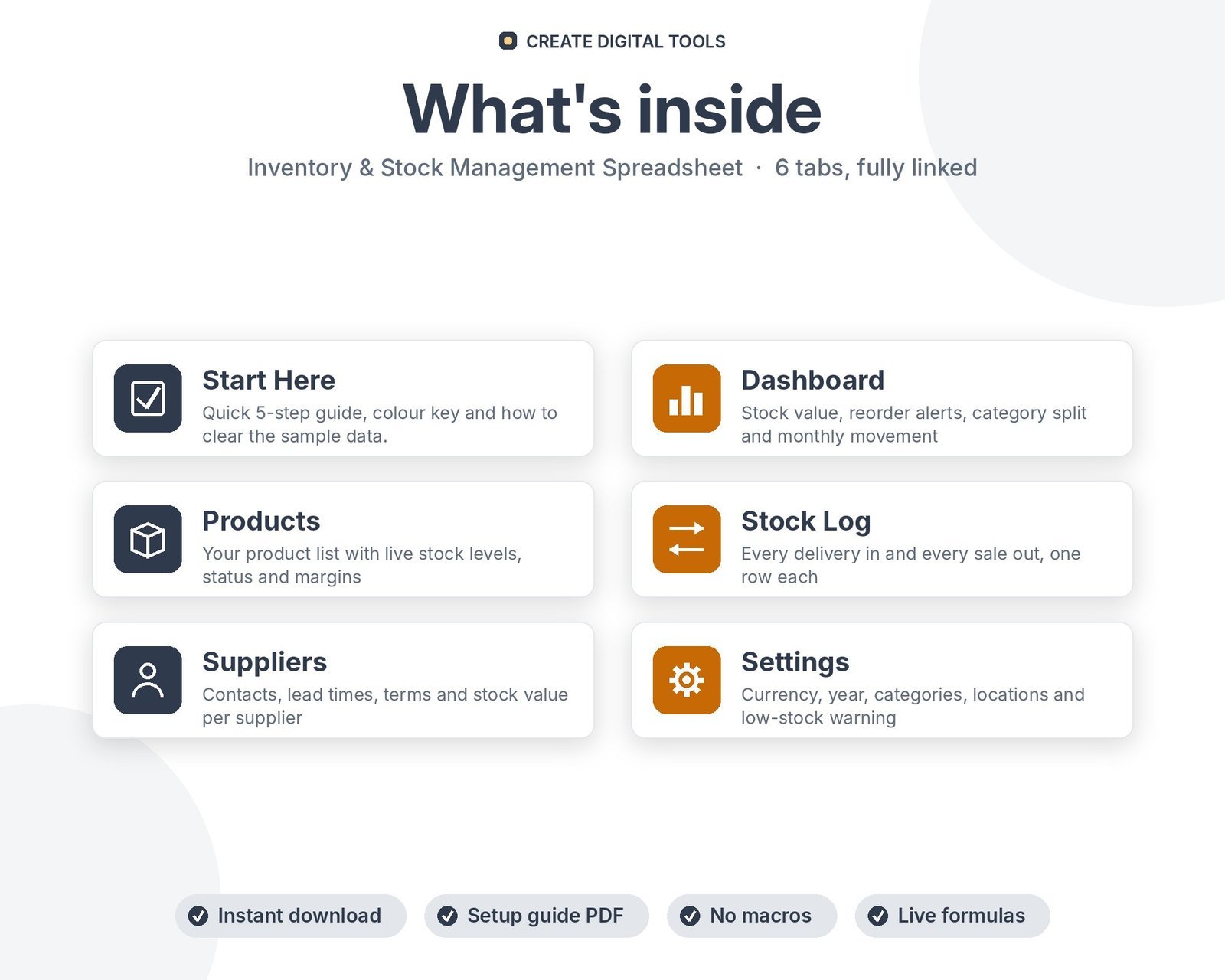
- Start Here – a 5-step quick-start guide inside the file
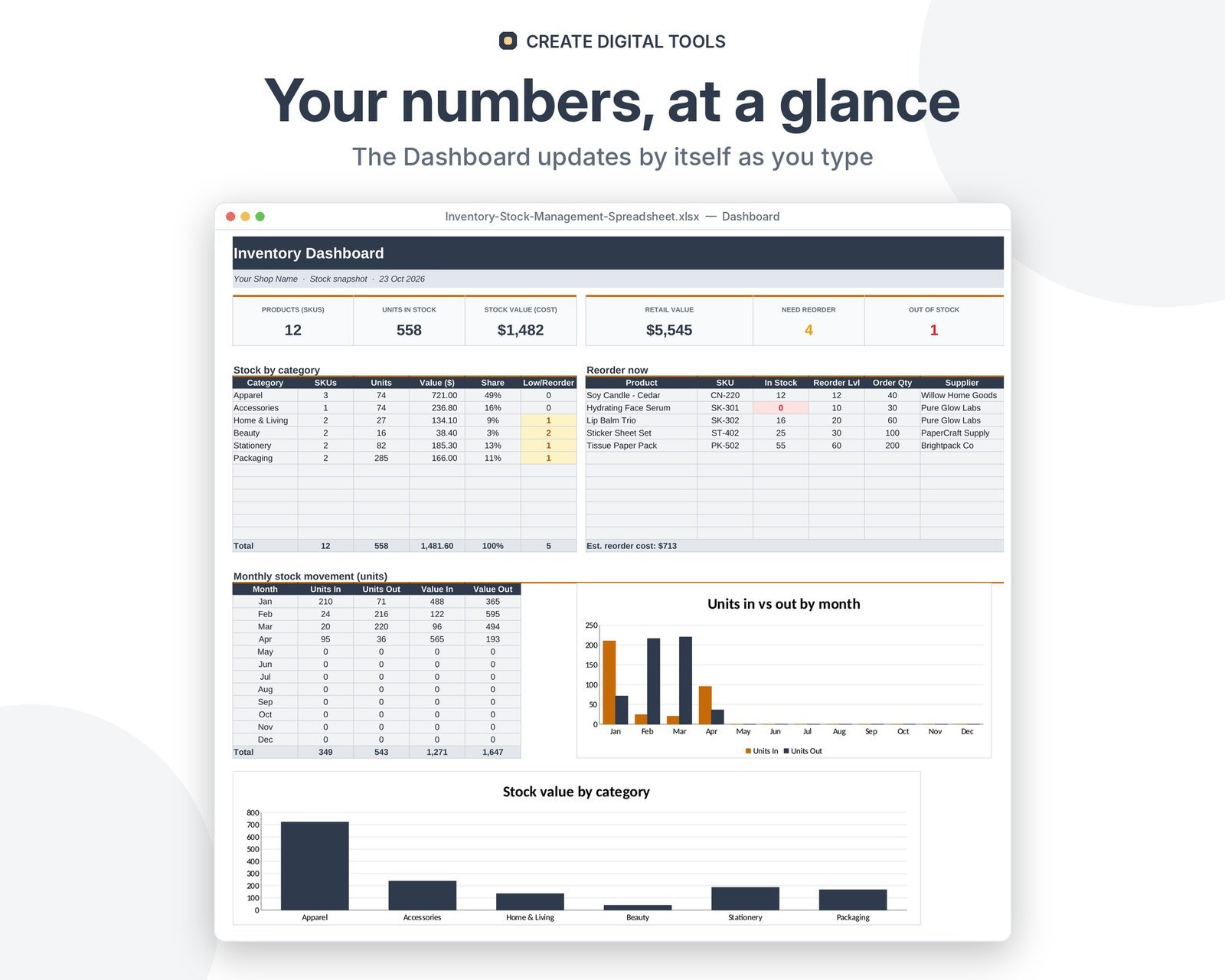
- Dashboard – Stock value, reorder alerts, category split and monthly movement
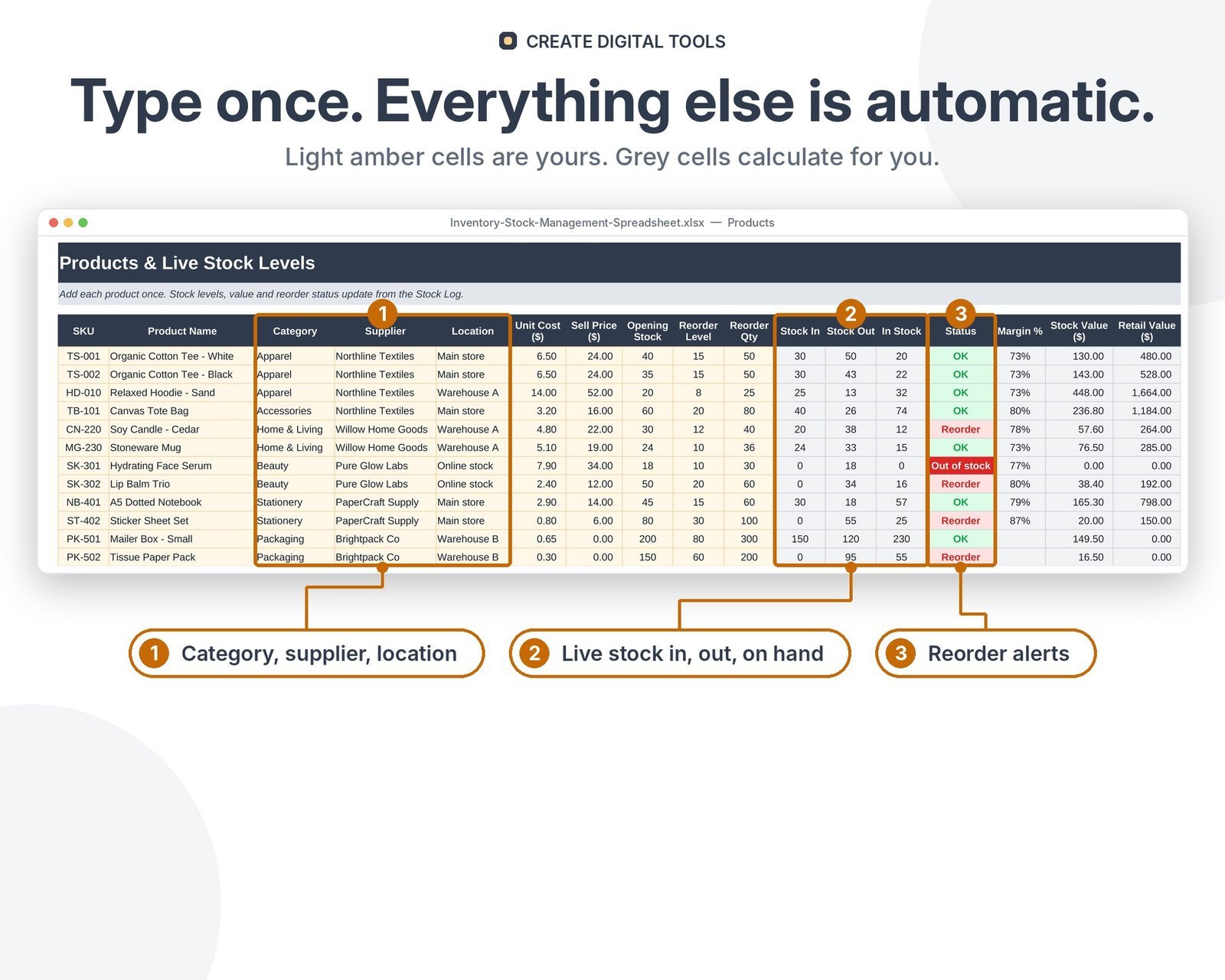
- Products – Your product list with live stock levels, status and margins
- Stock Log – Every delivery in and every sale out, one row each
- Suppliers – Contacts, lead times, terms and stock value per supplier
- Settings – Currency, year, categories, locations and low-stock warning
Features
- Live stock level per product, calculated from opening stock + stock in – stock out
- Automatic status: OK, Low, Reorder or Out of stock, with colour alerts
- Reorder list on the dashboard with order quantity and supplier
- Stock value at cost and at retail, plus margin % per product
- Monthly units in vs out chart and stock value by category
- Supplier list with lead times, terms and stock value per supplier
- Dropdowns for SKU, category, supplier, location and In/Out
- Change currency symbol, categories and locations in one place
How delivery works
- Instant download right after purchase: the .xlsx workbook plus a step-by-step Setup Guide PDF.
- Works in Microsoft Excel (Windows, Mac, Excel for the web) and Google Sheets (upload to Google Drive and open with Google Sheets, or File > Import).
- Comes with realistic sample data so you can see how it works, and clear instructions to remove it.
- No macros, no add-ons, no subscriptions. Pay once, use it for as long as you like.
FAQ
Does it work in Google Sheets?
Yes. Upload the .xlsx to Google Drive and open it with Google Sheets, or use File > Import. All formulas, dropdowns and charts are standard.
How many products can I track?
200 products and 1,000 stock movements out of the box. You can copy the formula rows down to add more.
Can I use my own currency?
Yes. Type any symbol (for example $, GBP, EUR, AED or SAR) on the Settings tab and every money header updates.
Do I need Excel skills?
No. You only type in the light amber cells. Every calculation, alert and chart is already built.
Also available in Fresh Retail Mint: Inventory & Stock Management Spreadsheet – Fresh Retail Mint
This is a digital product. No physical item will be shipped.
Want your own store like this one? createdigitaltools.com runs on Hostinger WordPress hosting. Start your own shop with Hostinger, or try the no-code Hostinger Website Builder.
Affiliate links: I may earn a commission at no extra cost to you.