Minimalist Printable Planner: Low-Ink Time Blocking
Picture a project coordinator who spends all day in screens: email, chat, shared calendars. By Wednesday the week feels like a blur. What helps is ten quiet minutes with a printed week on the desk, a pen, and a clear list of priorities. No flowers, no stickers, just lines and space. A minimalist printable planner is built for exactly that: plain pages that print fast, use very little ink and stay out of the way of your thinking.
Below you will find a practical way to set up a low-ink paper planning routine with time blocking, plus a section-by-section look at the Minimalist Black & White Planner.
Get the Minimalist Black & White Planner →
Why work weeks get away from us
Digital tools are good at storing tasks and meetings. They are less good at helping you decide what actually happens on Tuesday afternoon. The common workarounds each have a catch:
- Endless to-do lists grow faster than you can finish them and give no sense of time.
- Calendar-only planning shows meetings but hides the deep work that never got a slot.
- Decorated planners look nice, but the colour and illustrations can eat printer ink and feel busy on a work desk.
A plain printed week fixes the “where does my time go” question by making you write it down. Time blocking takes it one step further by giving each priority a slot.
How to time block with a minimalist printable planner
These steps work with any paper planner, but they suit a clean black and white layout especially well.
1. Set three priorities before anything else
On Monday morning (or Friday afternoon for the week ahead), write the three outcomes that would make the week a success. Everything else is secondary.
2. Block the fixed things first
On a time-block page, mark meetings, commutes and fixed commitments. What is left is your real available time, and it is often less than you expect.
3. Give each priority a block
Put your three priorities into the open slots, ideally in the hours when you focus best. Treat those blocks as appointments.
4. Use the weekly page for the overview
Keep the time-block page for detail and the weekly page for the big picture: one row per day, a short task list, and notes. Glance at it at the start of each day.
5. Review on Friday
Tick what got done, move what did not, and note one thing to change next week. Over a few weeks you will see patterns in where time leaks.
6. Print on demand to save ink and paper
Print a month of weekly pages at a time. With thin lines and white pages, a minimal design keeps ink use low, so you can reprint without a second thought.
Inside the Minimalist Black & White Planner
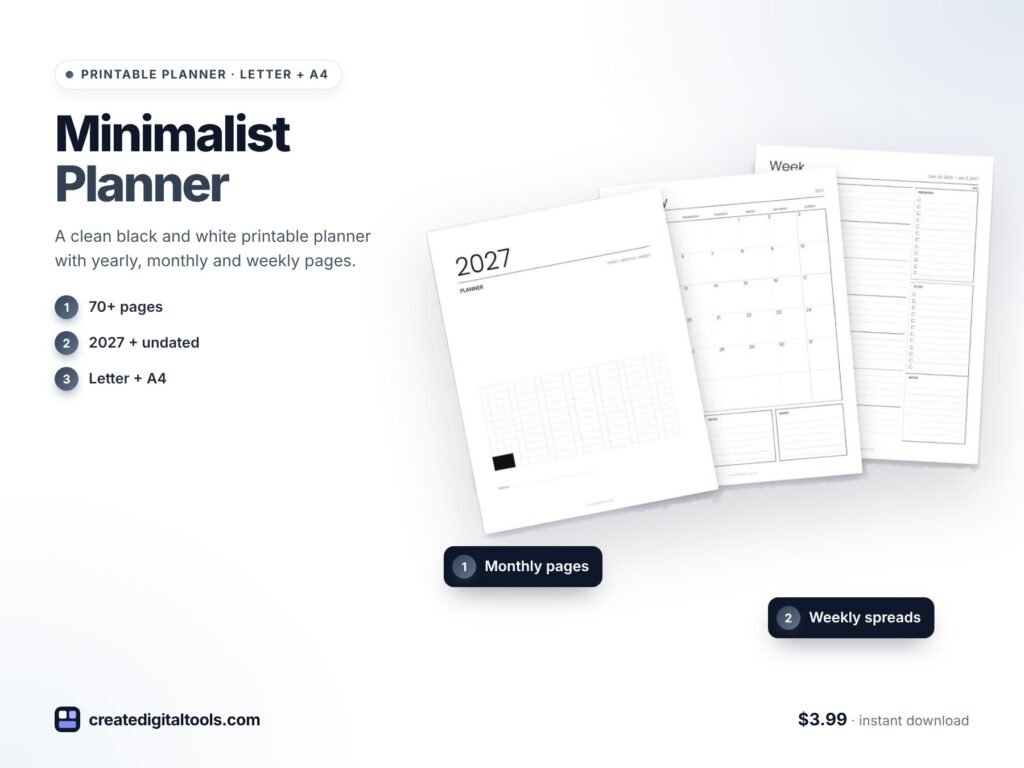
This is a clean, Scandinavian-minimal printable planner: thin black lines, a light sans-serif font and lots of white space. Yearly, monthly and weekly pages come in a single download, plus a time-block week.
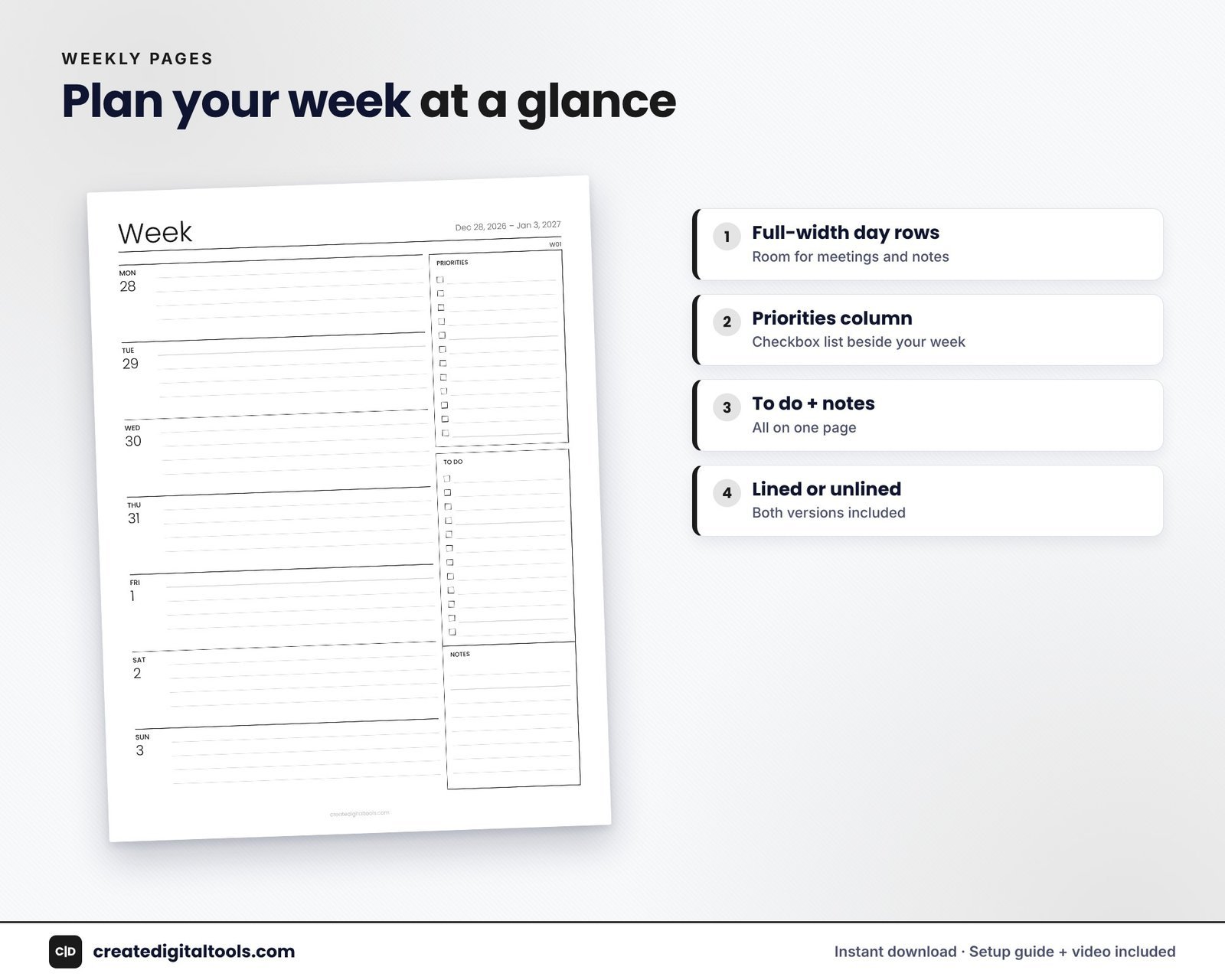
Weekly pages built for work
There are 53 weekly pages dated from Dec 28, 2026 to Jan 2, 2028. The week is laid out as seven full-width day rows with a priorities column, plus to-do and notes areas. You get lined and unlined versions.
Time-block week
The undated set includes a time-block week running from 6am to 10pm, so you can plan your hours on paper as described above.
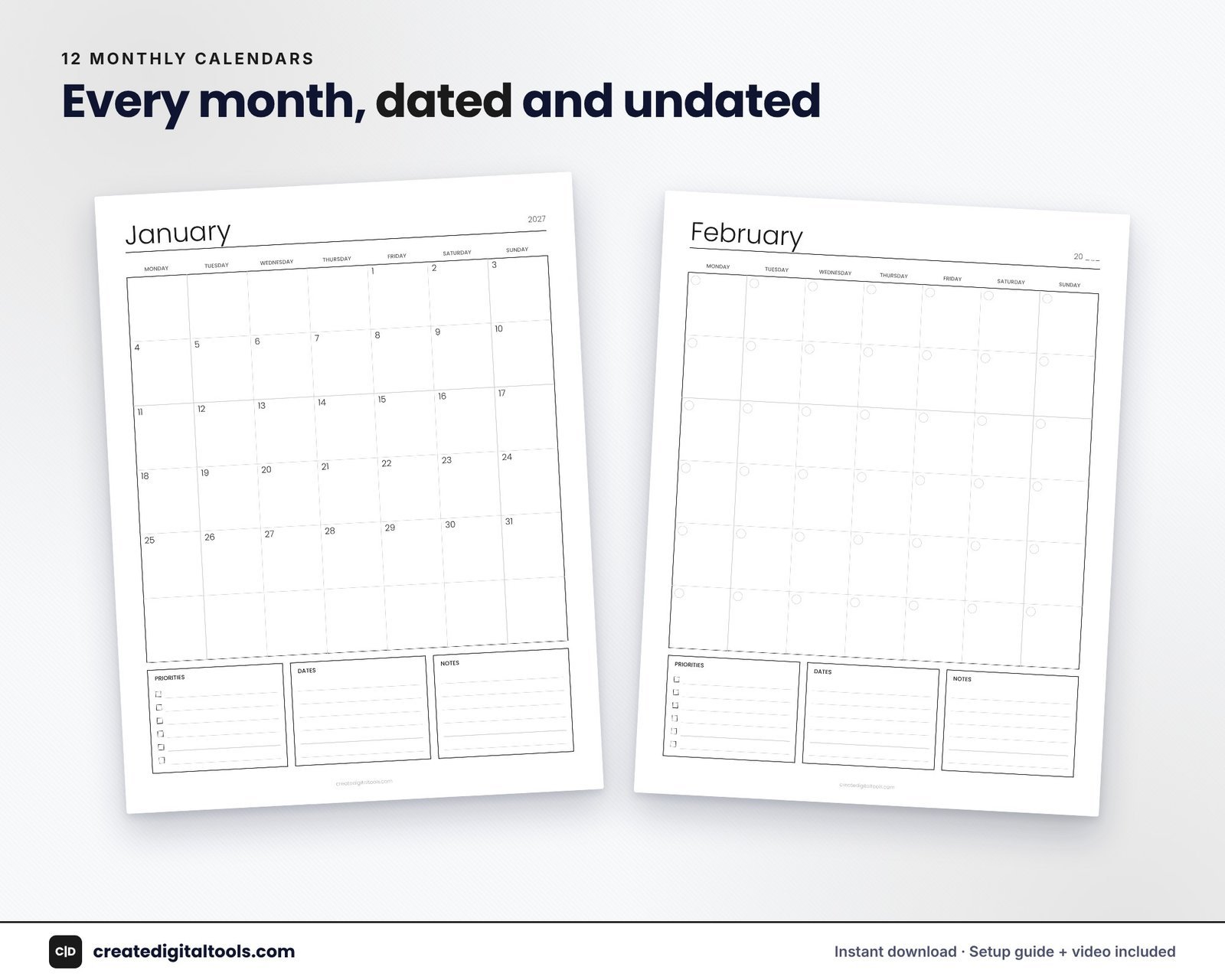
Monthly calendars
Twelve monthly calendars with a Monday start, each with goals and notes boxes, for deadlines, launches and travel.
Yearly pages
- Year at a glance 2027 with 12 mini calendars.
- Yearly overview for key dates in every month.
- Yearly goals: word of the year, top 3 goals, 6 life areas and Q1 to Q4 check-ins.
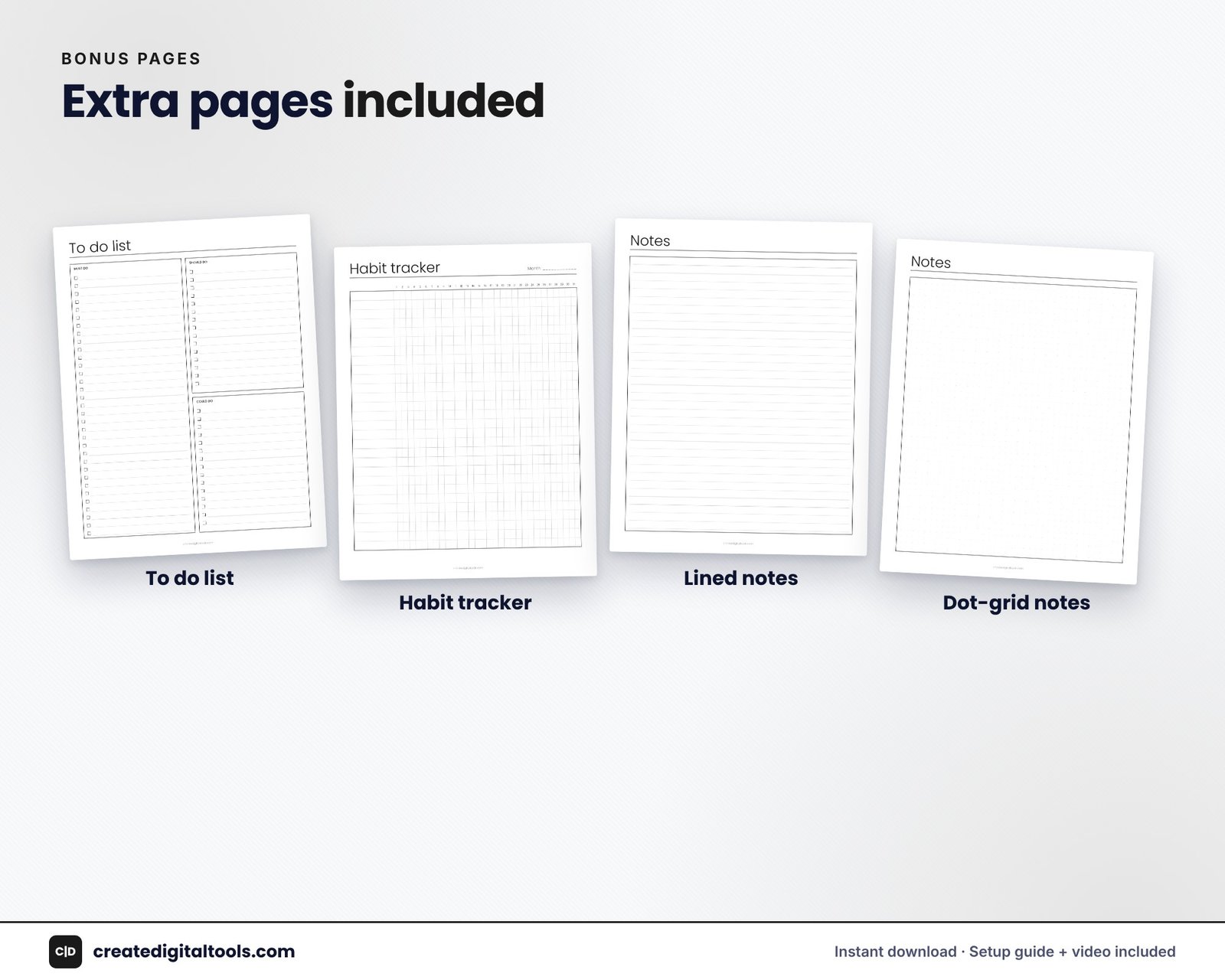
Extra pages
To-do list, habit tracker, lined notes, dot-grid notes and blank notes. The dot-grid page is handy for quick sketches, meeting notes and simple tables.
Formats and printing
- Six PDFs covering US Letter and A4, 2027 dated and undated, lined and unlined.
- Clean vector PDFs with light lines on white pages; the design prints with very little ink.
- A setup and printing guide (PDF).
Open the PDF for your paper size and print at 100% or “Fit to page”. Hole-punch the pages into a binder or disc planner, or write on them in GoodNotes or Notability. It is a printable PDF, so pages are not hyperlinked and the text is not editable.
Low-ink printing tips
- Print in black only or greyscale from your printer settings. With a black and white design, nothing is lost.
- Use draft or economy mode for working pages you will replace each week.
- Print double-sided for monthly pages and notes, and single-sided for time-block pages if you like to lay them flat next to the keyboard.
- Keep a small stack of blank weeks and dot-grid pages in a folder so you are never tempted to reprint the whole set.
A sample work week on paper
On Monday, write three priorities in the priorities column, for example a report draft, a client call prep and an inbox clean-up. On the time-block page, mark meetings first, then place a two-hour focus block for the report on Tuesday and Thursday mornings. Use the to-do area for small tasks that do not need a block. On Friday, tick off what is done and carry the rest to next week’s page.
Making the most of the dot-grid page
Dot grid is the most flexible page in a minimal setup. Use it for meeting notes with a quick action list at the bottom, a simple project tracker with columns you draw yourself, a weekly reflection, or a rough sketch of a slide or layout before you build it on screen. Because the dots are faint, your own lines and handwriting stay the main thing on the page.
Watch the setup guide and full tour of this planner:
Who it is for, and who it is not for
A good fit if you:
- Want a distraction-free planner for a work desk or home office.
- Print often and care about saving ink.
- Like time blocking and want a ready-made 6am to 10pm grid.
- Want both US Letter and A4 in the same purchase.
Probably not for you if you:
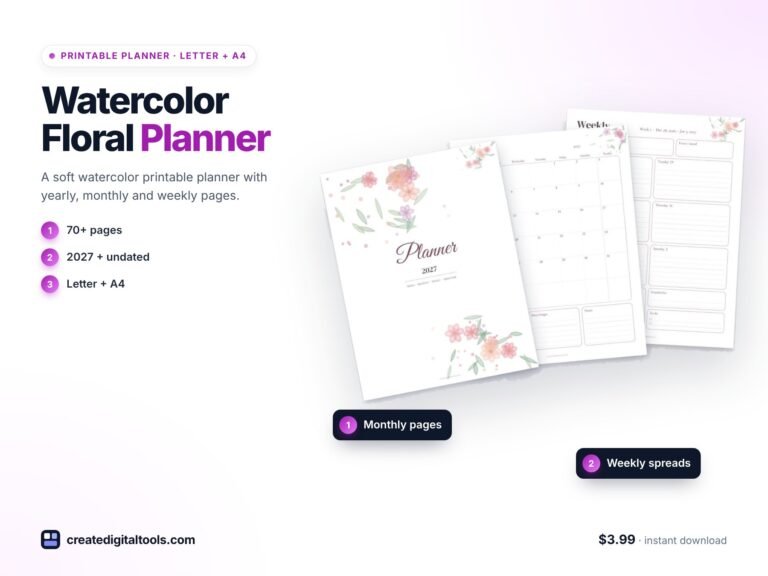
- Enjoy colour, illustrations and decorative touches. The Watercolor Floral Planner has the same structure with a softer look.
- Need a hyperlinked digital planner.
- Want a separate dated daily page for every day of the year.
See all styles in the printable planners category.
FAQ
Is the time-block page dated?
The time-block week is part of the undated version, so you can print it for any week you like.
Which paper sizes are included?
US Letter and A4 are both included, each dated for 2027 and undated, lined and unlined.
Can I use it digitally?
Yes, you can import the PDF into an app such as GoodNotes or Notability. The pages are not hyperlinked, so it works best as a print-first planner.
Do weeks start on Monday?
Yes, weeks start on Monday throughout.
How do I receive it?
It is an instant digital download: a zip of six PDFs and a setup guide.
Plan a calmer work week on paper
If you want a quiet, low-ink planner with a time-block grid, the Minimalist Black & White Planner is $3.99 and ready to print today.
Get the Minimalist Black & White Planner →
GoodNotes and Notability are trademarks of their respective owners. This is an independent printable planner, not affiliated with or endorsed by them.
Notion systems, spreadsheets and planners with a setup guide. Instant download.