Description
Full Walkthrough
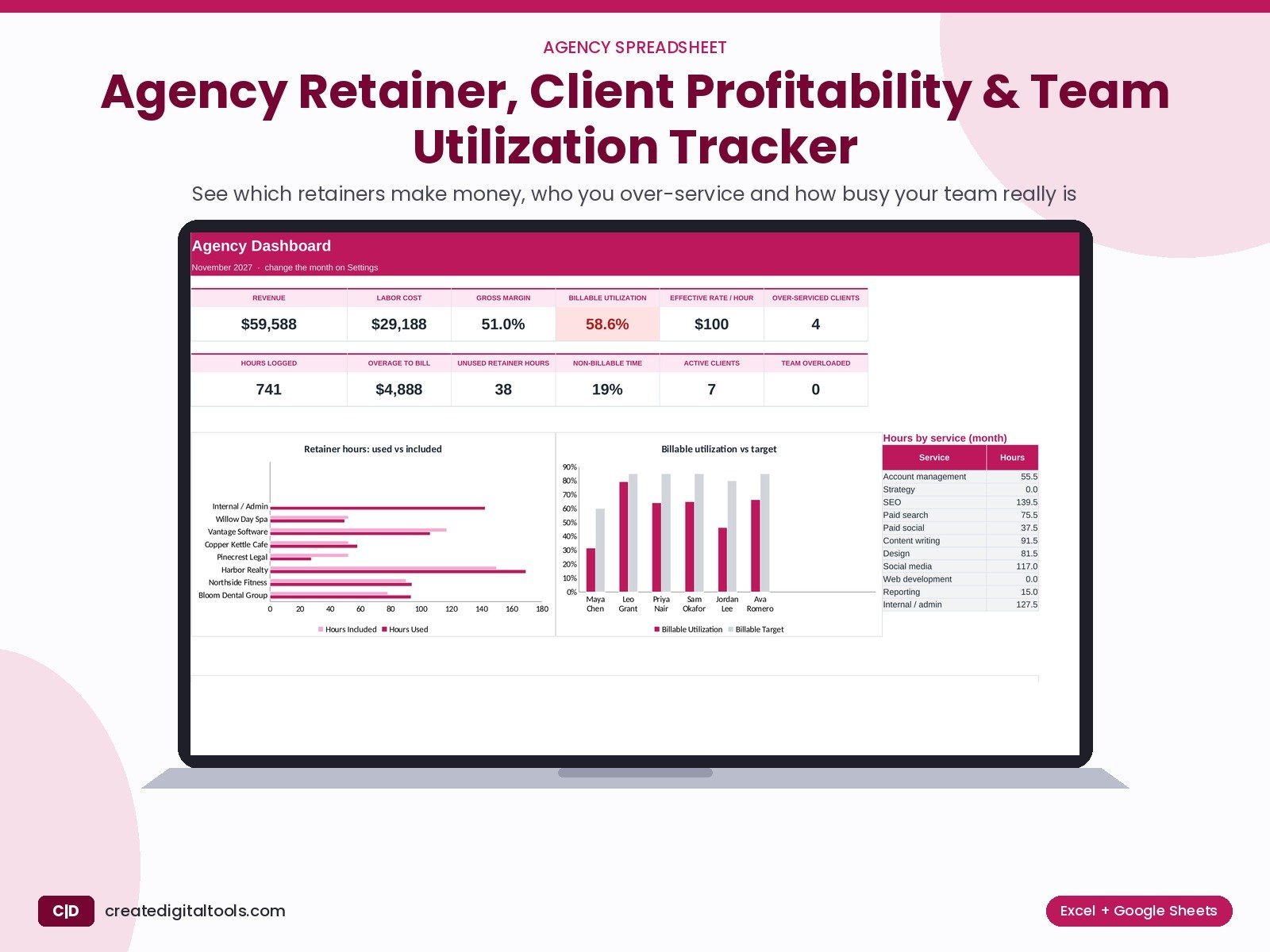
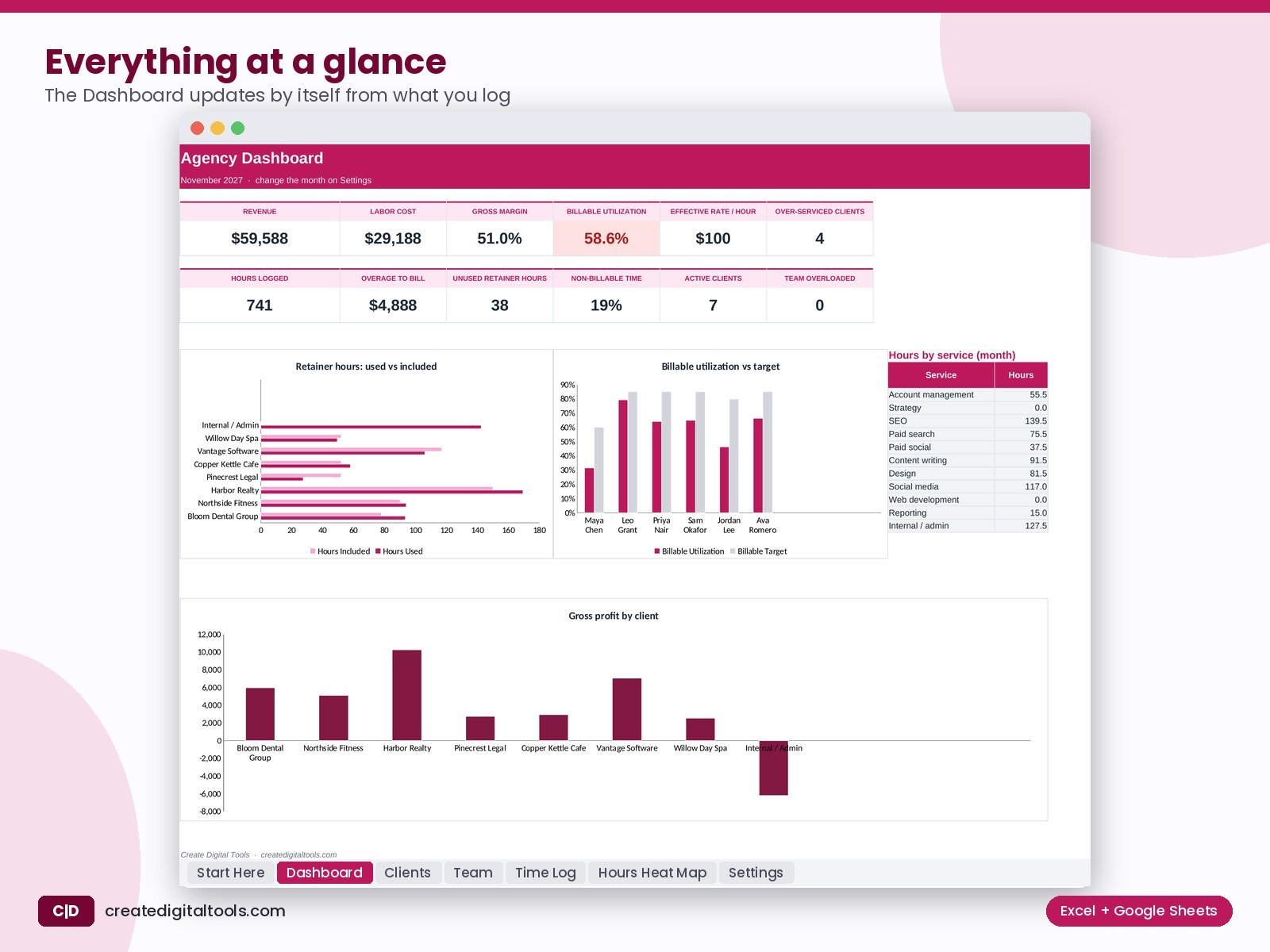
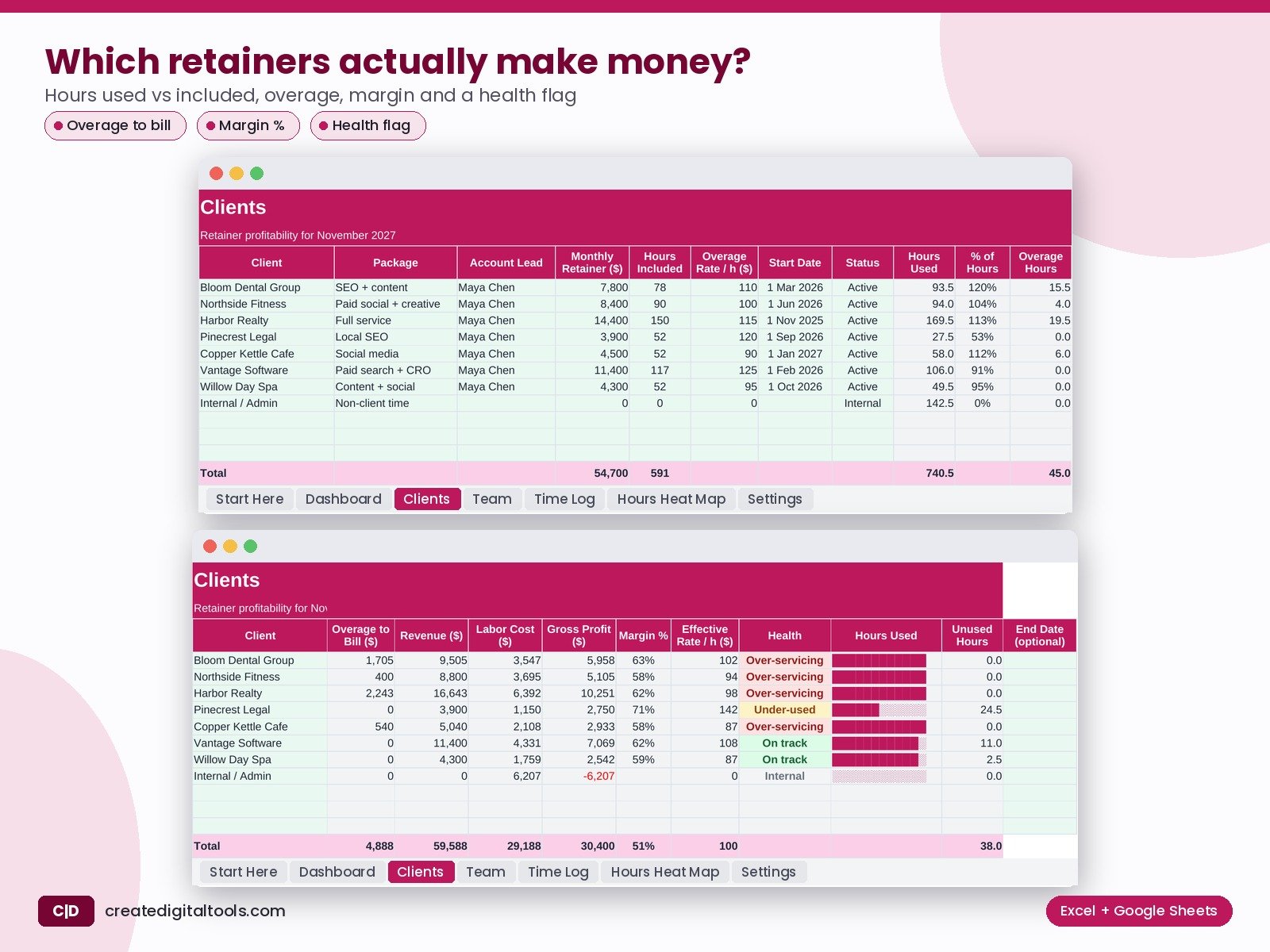
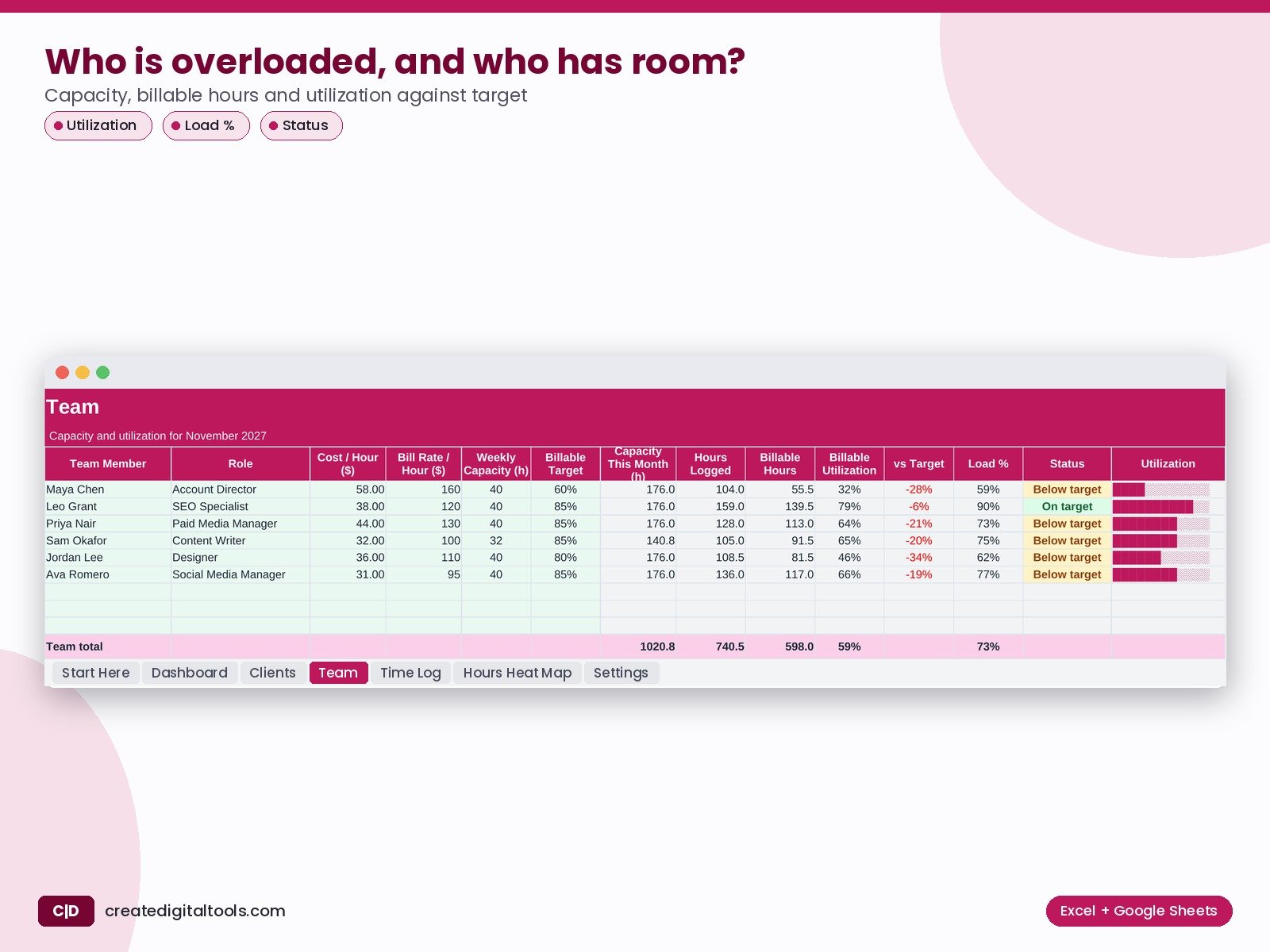
Track retainer hours used vs included, overage, gross margin by client, effective hourly rate and team utilization against target.
Who it’s for
Marketing, creative, SEO and digital agencies, and freelancers with a small team, on monthly retainers.
What’s inside
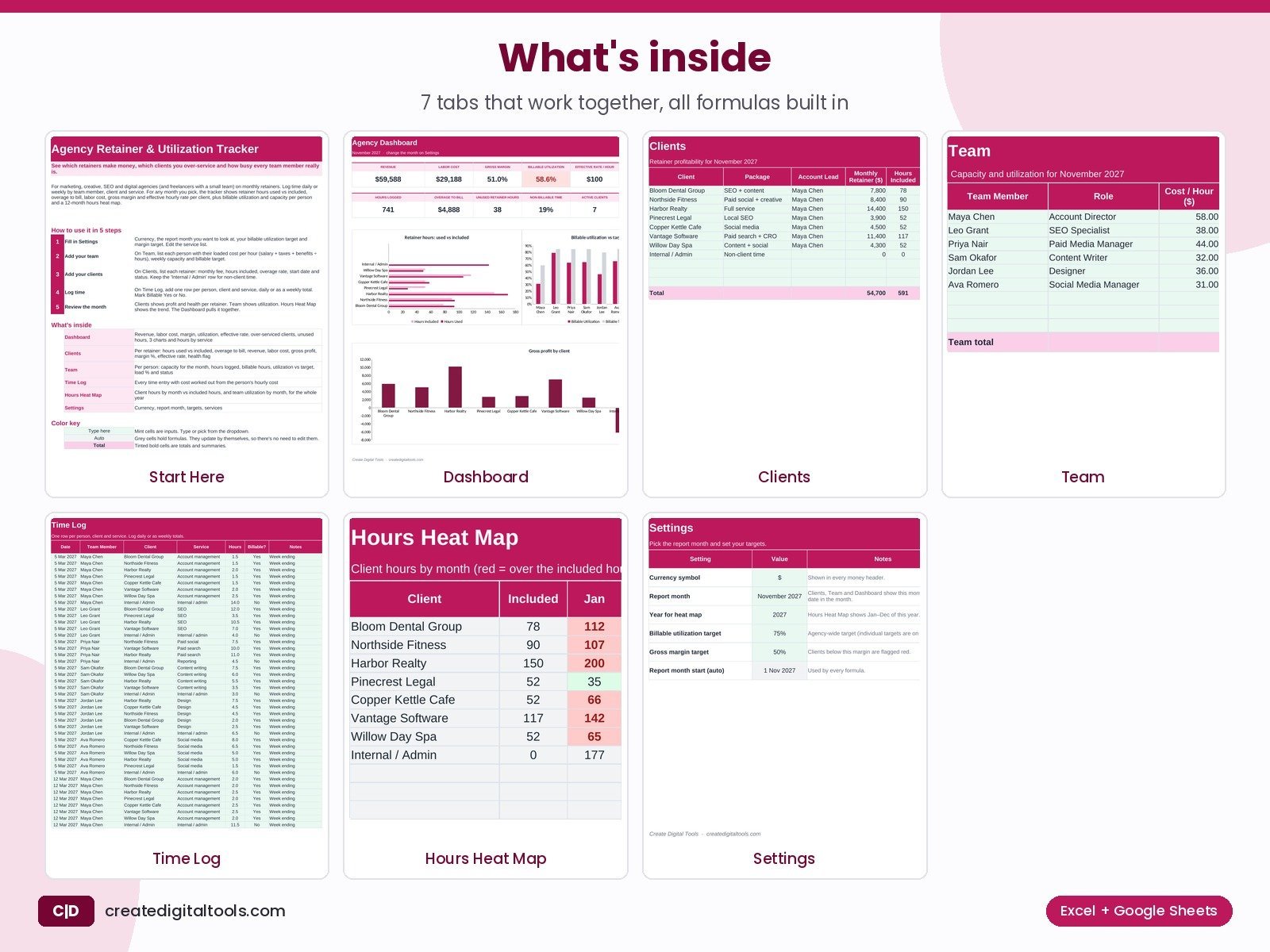
- Dashboard: Revenue, labor cost, margin, utilization, effective rate, over-serviced clients, unused hours, 3 charts and hours by service
- Clients: Per retainer: hours used vs included, overage to bill, revenue, labor cost, gross profit, margin %, effective rate, health flag
- Team: Per person: capacity for the month, hours logged, billable hours, utilization vs target, load % and status
- Time Log: Every time entry with cost worked out from the person's hourly cost
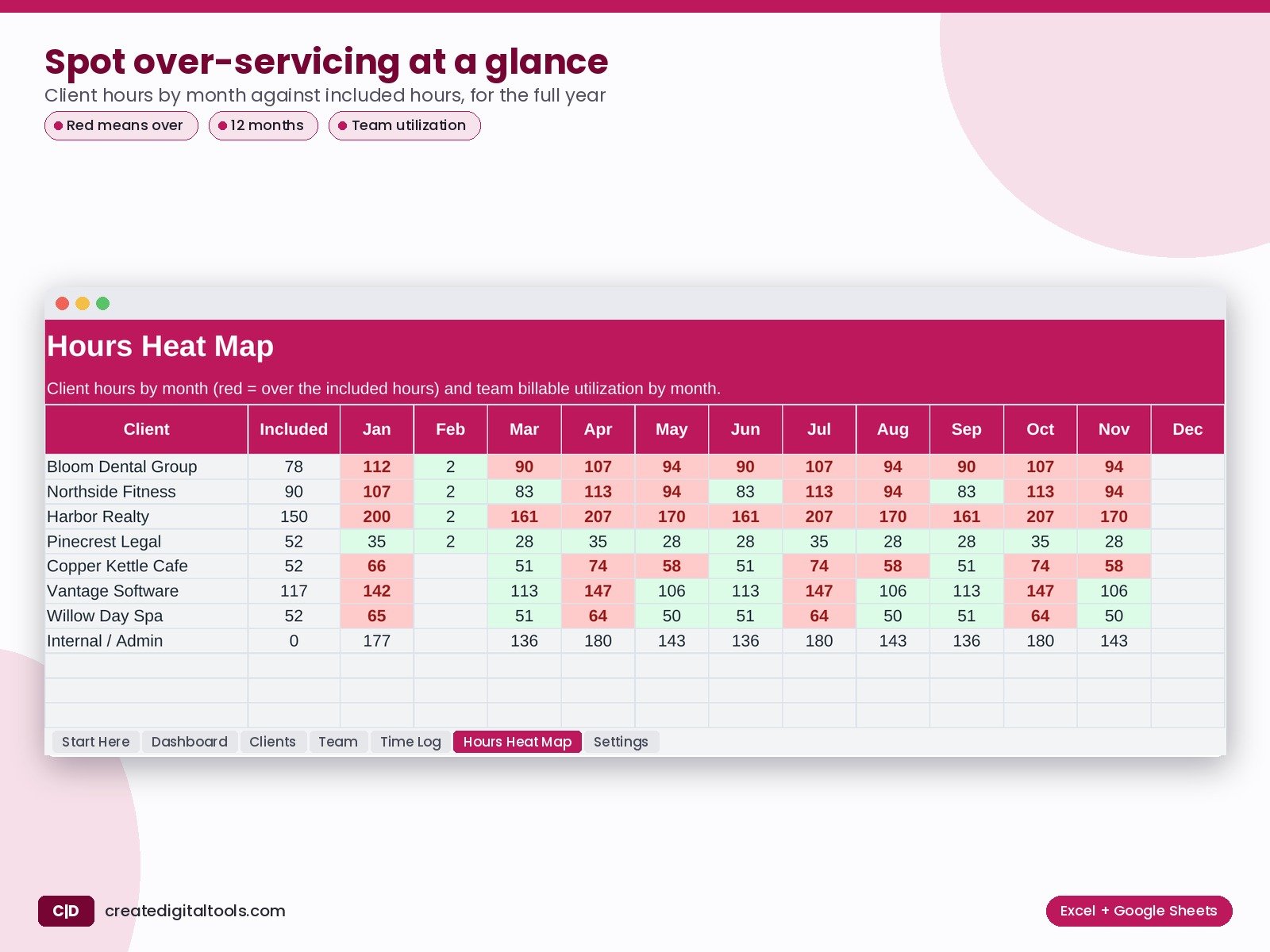
- Hours Heat Map: Client hours by month vs included hours, and team utilization by month, for the whole year
- Settings: Currency, report month, targets, services
What you get
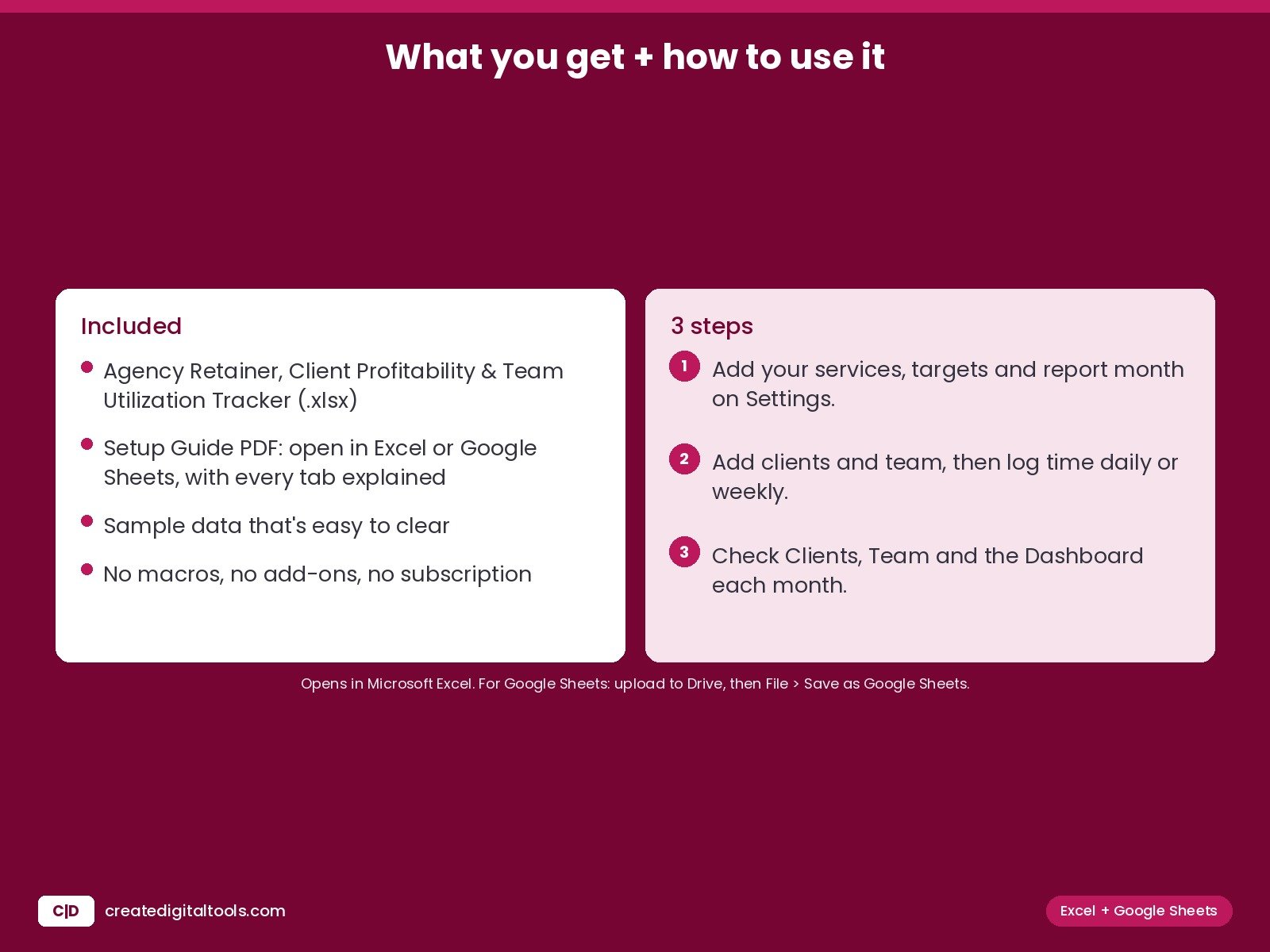
- The .xlsx workbook with sample data that’s easy to clear
- Setup Guide PDF, with every tab explained
- A video walkthrough
FAQ
Does it work in Google Sheets?
Yes. Upload it to Google Drive, open it with Google Sheets, then choose File > Save as Google Sheets.
Which Excel version do I need?
Excel 2019 or newer, Microsoft 365 or Excel for Mac.
Is this a subscription?
No. You pay once and keep the file. No macros, no add-ons.
This is a digital product. No physical item will be shipped.
Also on Gumroad: Agency Retainer, Client Profitability & Team Utilization Tracker on Gumroad
Build your own store: Hostinger WordPress hosting (affiliate link: I may earn a commission at no extra cost to you)